Home
AR virtual try-on development
AR virtual try-on development for eyewear and makeup stores.
Let shoppers see glasses on their face and lipstick on their lips before they buy. SpikeSecure builds augmented-reality try-on for websites and apps from Coimbatore: face tracking, realistic rendering, your product catalogue, and integration with Shopify, WooCommerce, Magento or a custom store, with published prices and a fixed-scope quote.
- ₹4L+web try-on widget
- ₹8L+try-on app
- 8–14weeks typical
- On-devicecamera processing
Illustrative product UI · sample data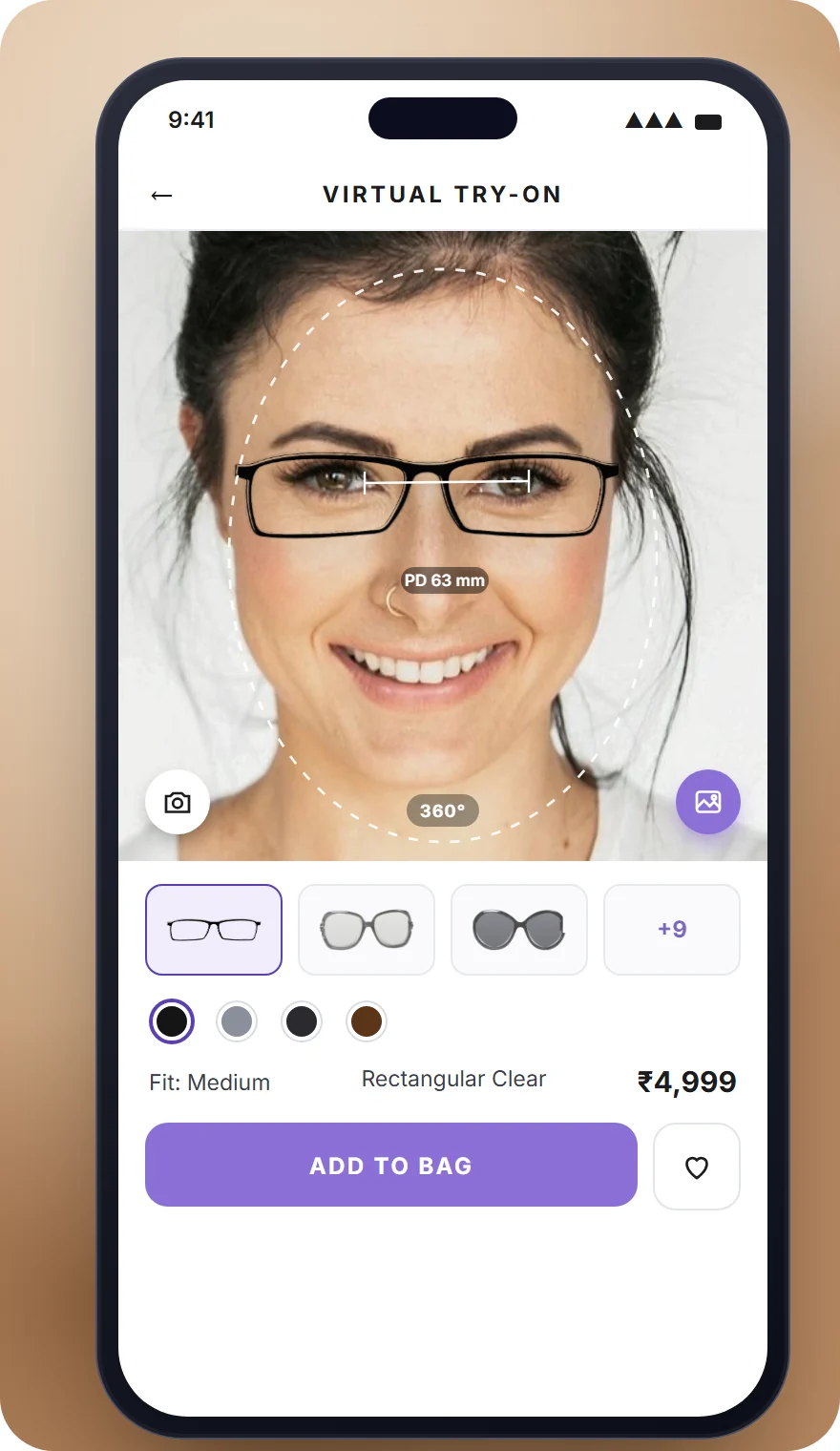
Direct answer
What is AR virtual try-on, and what does it cost to build?
AR virtual try-on is a feature on a website or app that uses the shopper's camera to show a product on them in real time: spectacles and sunglasses on their face, or lipstick, foundation and eyeshadow on their skin. It works by tracking facial or body landmarks (for example 468 face-mesh points), aligning a 3D model or calibrated 2D layer to them every frame, and rendering it with the scene's lighting. SpikeSecure builds virtual try-on for stores in India and abroad: a web widget for an existing store costs ₹4–10 lakh and a try-on app ₹8–18 lakh, in 8–14 weeks.
Try-on exists to reduce two things: the doubt that stops a shopper buying eyewear or cosmetics online, and the returns that follow when the product does not look as expected. It is built for the phones Indian shoppers actually own, processes the camera on the device rather than uploading faces, and plugs into the store you already run.
- Two product lines: eyewear try-on (spectacles, sunglasses, Lenskart-style) and makeup try-on (lipstick, foundation, eyes, cheeks) with a shade finder.
- Typical cost: web widget on Shopify, WooCommerce, Magento or a custom store ₹4–10 lakh; Android and iOS app ₹8–18 lakh; 3D product digitisation quoted per SKU.
- Typical timeline: 8–10 weeks for an eyewear or makeup widget, 10–14 weeks for an app.
- Where it runs: in the browser (WebGL and MediaPipe, no download), inside Flutter apps with ARKit and ARCore bridges, and in Instagram or Snapchat lenses for marketing.
- Privacy: camera frames are processed on the device by default; nothing is stored unless the shopper saves a look, with consent recorded under the DPDP Act 2023.
- Related: e-commerce website developers in Coimbatore, Shopify developers, mobile app developers, jewellery and retail industry, website development company in Coimbatore
See it in action
Try-on experiences we build.
Stills from the two try-on screens: makeup with a before-and-after split and eyewear with pupil-distance sizing. In the product each runs on the shopper’s live camera.
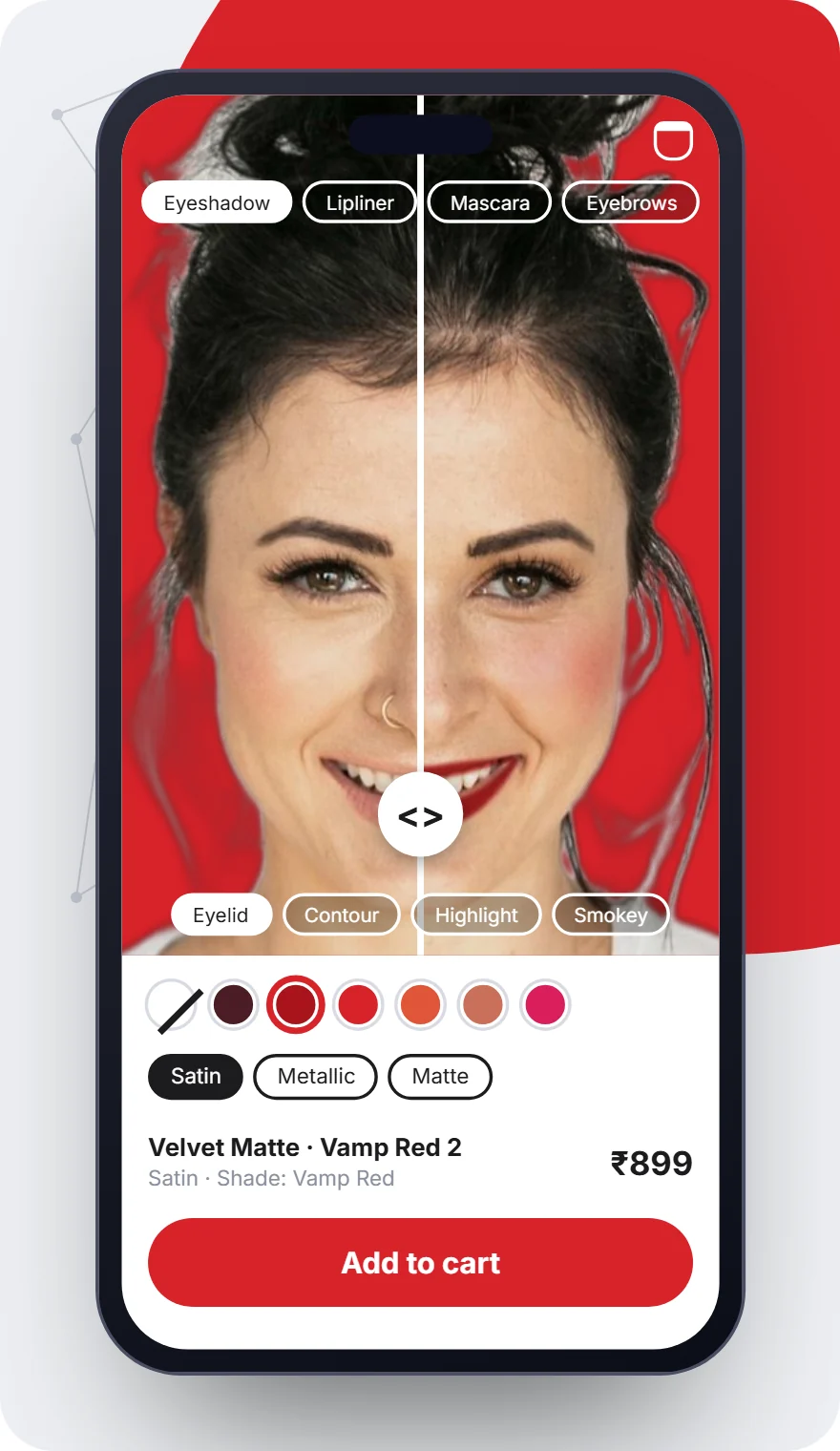
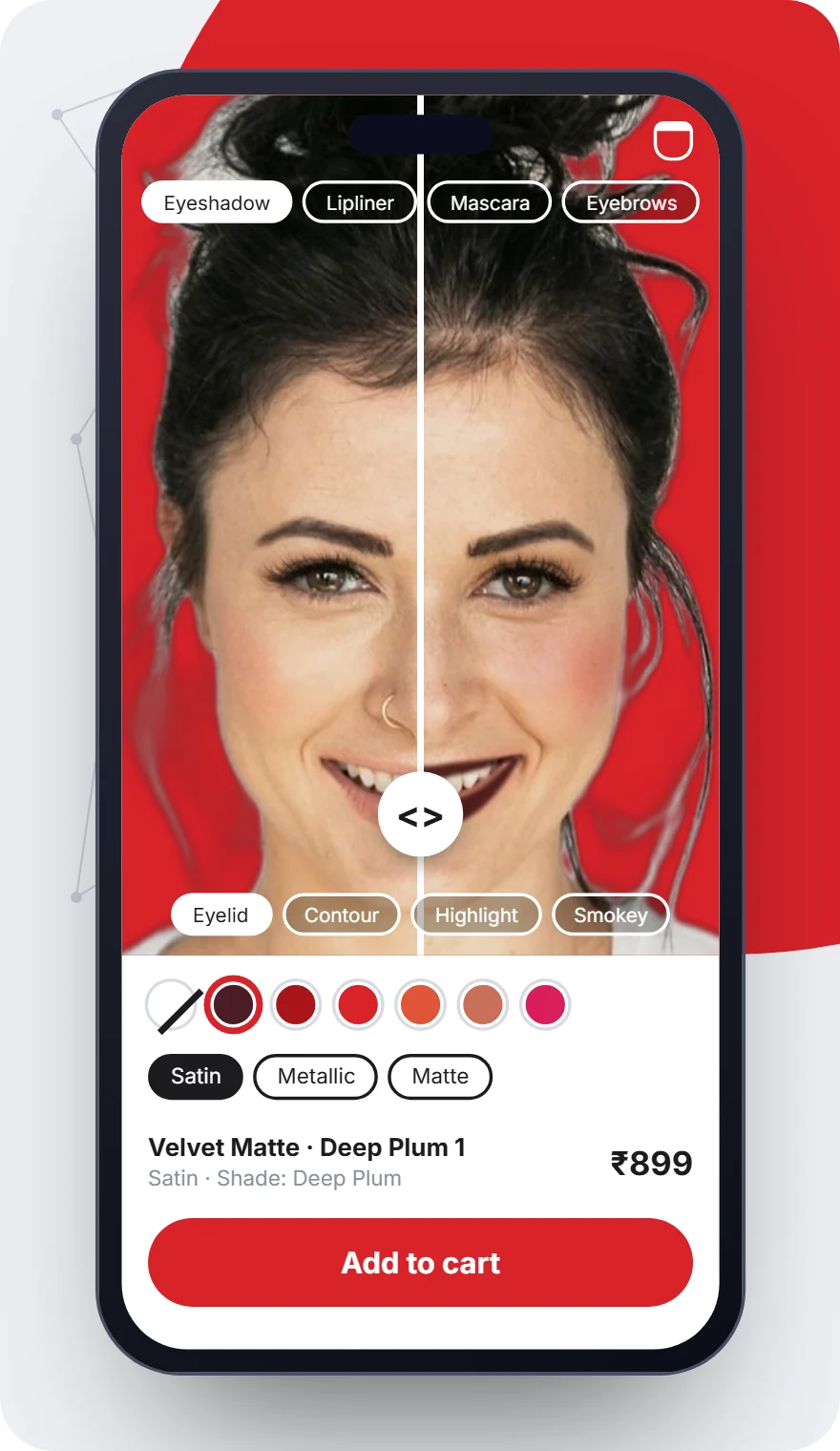
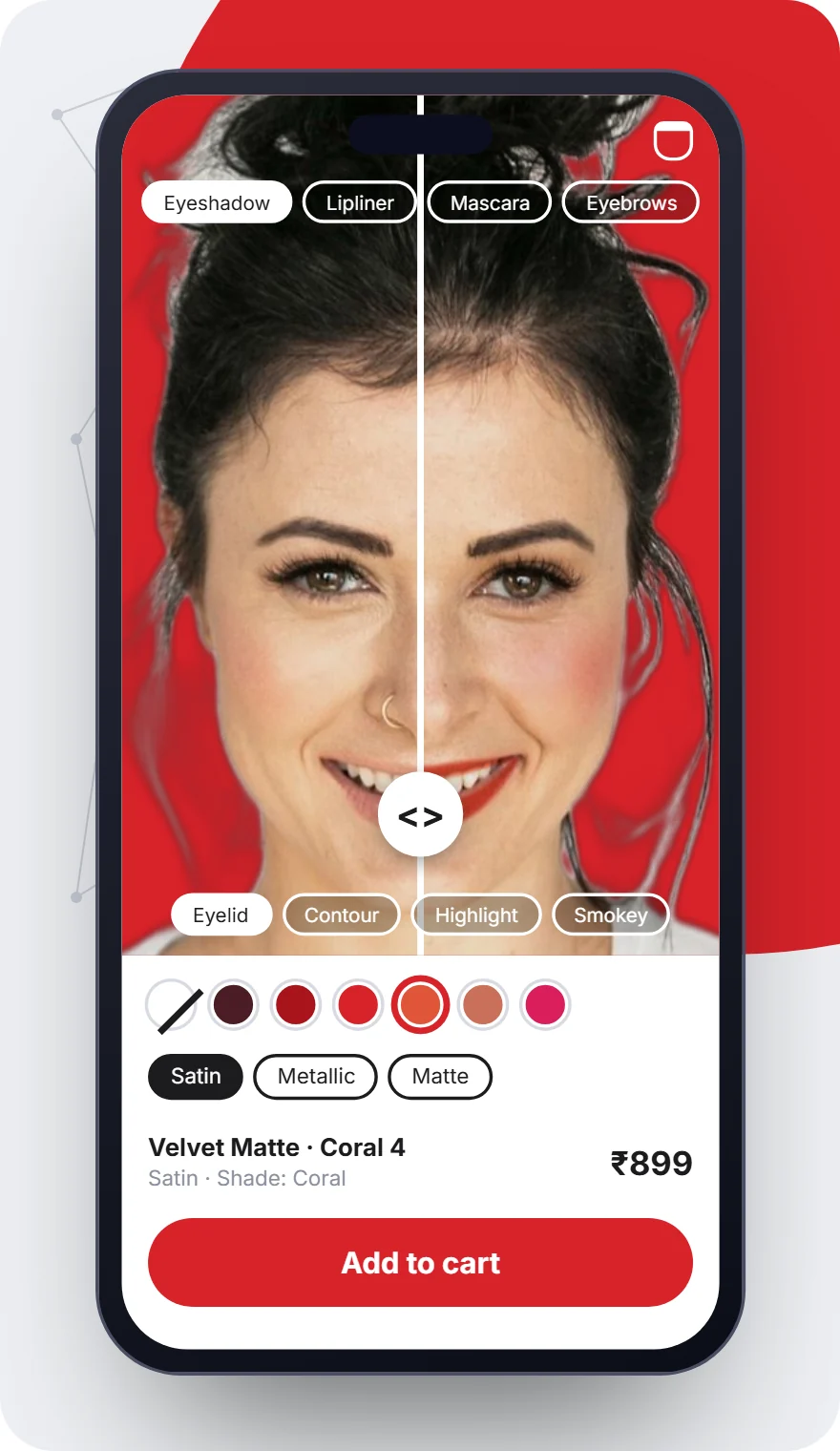
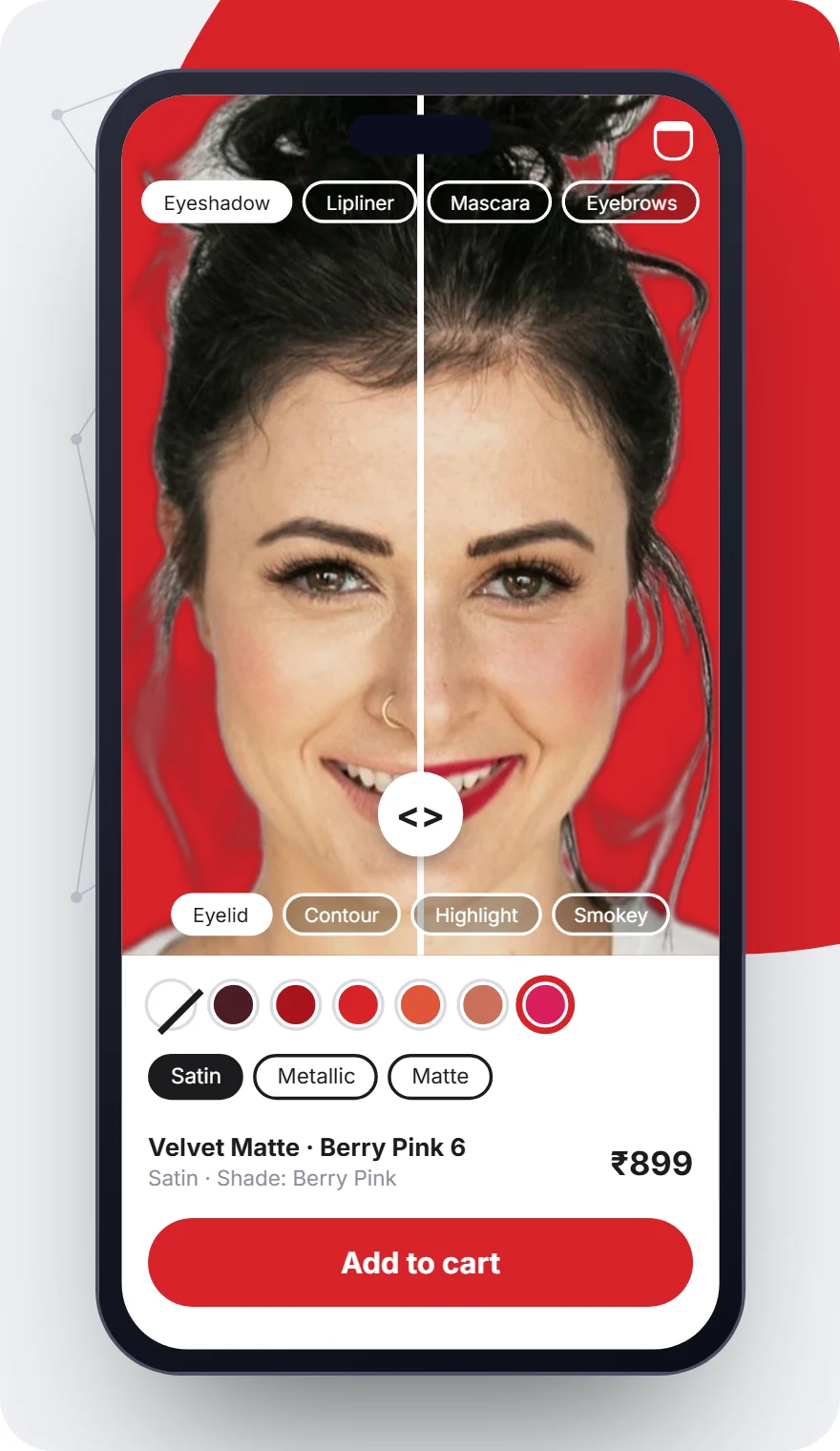
Frame photos: rawpixel.com (CC0); queenbeeofbeverlyhills on Flickr (CC BY 2.0). Model photos: Unsplash.
What is included
What a SpikeSecure try-on build always includes.
01
Tracking engine
Face mesh and hand tracking tuned for mid-range Android phones, with occlusion handling (hair, hands, existing glasses) and stable rendering under indoor lighting.
02
Product digitisation pipeline
3D frames from photogrammetry or modelling (GLB and USDZ), shade calibration from swatches and product photos, with a QA checklist per SKU so new products go live without engineering.
03
Realistic rendering
Physically based materials for acetate, metal and lenses, skin-aware colour blending for cosmetics, and lighting estimation from the camera feed.
04
Store integration
Try-on button on product pages, catalogue sync, add-to-cart and wishlist from the try-on view, saved looks and share cards, on Shopify, WooCommerce, Magento or your custom storefront.
05
Analytics and conversion tooling
Try-on starts, products tried, add-to-cart from try-on and return-rate comparisons in a dashboard, with A/B tests on button placement.
06
Privacy, performance and ownership
On-device processing, explicit camera consent, DPDP-aligned data handling, performance budgets on real devices, and source code, assets and accounts in your name.
Virtual try-on development cost
What virtual try-on costs to build.
Indicative ranges, confirmed in a written fixed-scope quote after discovery. Licensed SDK fees, if you choose that route, are billed at cost.
01
Web try-on widget — ₹4–10 lakh
Browser-based try-on for one product line on your existing store, up to a few hundred SKUs, catalogue sync, analytics. 8–10 weeks.
02
Try-on app — ₹8–18 lakh
Android and iOS app (Flutter with native AR bridges) with try-on, catalogue, cart, saved looks and share, or try-on added to your existing app. 10–14 weeks.
03
3D product digitisation — per SKU
Photogrammetry or manual modelling of frames and products, texture and material setup, QA. Quoted per SKU or per batch; brands with existing 3D assets skip this.
04
What drives the number
Product line (eyewear is the most mature), number of SKUs, web versus app versus both, accuracy targets, and whether we build the tracking in-house or license an SDK.
05
Ongoing costs
Hosting and CDN for 3D assets, optional SDK licences, new SKU digitisation, and maintenance from ₹20,000 per month.
Build vs licence
In-house tracking or a licensed try-on SDK: which is right for you?
Short answer: license a try-on SDK (Banuba, DeepAR, Perfect Corp, Snap Camera Kit) when you need a proven engine fast and can accept per-month or per-MAU fees and their asset formats; build on open frameworks (MediaPipe, TensorFlow.js, Three.js, ARKit, ARCore) when you want no recurring licence, full control of the experience and data, and the try-on is core to your brand. SpikeSecure builds both ways and puts the five-year cost of each into the quote.
- Open frameworks. Google MediaPipe face and pose landmarks, TensorFlow.js, Three.js and WebGL in the browser; ARKit ARFaceAnchor and ARCore Augmented Faces in apps. No licence fees, more engineering, full ownership.
- Licensed SDKs. Faster to a polished result for makeup and eyewear, with mature occlusion and lighting; recurring fees, vendor lock-in on asset formats, and usage caps to plan for.
- Hybrid. Open tracking with a licensed rendering or asset pipeline for one product line, common when a brand wants makeup live quickly and eyewear built to its own spec.
- What we recommend by product line: eyewear is well served by open frameworks; makeup benefits from licensed shade-calibration tooling unless you have a colour science team.
Our AR stack
Technologies behind our try-on builds.
- MediaPipe Face Mesh
- TensorFlow.js
- Three.js / WebGL
- ARKit
- ARCore
- Flutter
- Next.js
- NestJS
- GLB / USDZ
- Blender
- Banuba / DeepAR (optional)
- Shopify
- WooCommerce
- Cloudflare CDN
Front ends and stores follow the same standards as every SpikeSecure build; see the technologies page.
How we work
How a try-on project runs, step by step.
Six steps, weekly demos on a staging store, and every SKU added through a pipeline rather than by hand.
01
Discovery — week 1
Catalogue audit (how many SKUs, what imagery or 3D exists), platform choice (web widget, app or both), accuracy targets, and a fixed-scope written quote within 48 hours.
02
Asset pipeline — weeks 2–4
3D modelling or photogrammetry of frames, shade calibration from product swatches, with a QA sheet per SKU.
03
Tracking and rendering — weeks 3–8
Face and hand landmark tracking, lighting and occlusion handling, rendering on WebGL or native AR, tested on mid-range Android phones and iPhones.
04
Store integration — weeks 6–10
Shopify, WooCommerce, Magento or custom storefront integration, product mapping, add-to-cart from the try-on, analytics events.
05
Testing — final 2 weeks
Accuracy checks across skin tones, lighting and face shapes, performance budgets, privacy review (camera consent, on-device processing), accessibility.
06
Launch and tuning — ongoing
Conversion and engagement dashboards, A/B tests on placement, new SKUs added through the pipeline, 30-day warranty then optional maintenance.
Why SpikeSecure
Try-on built by a commerce team.
Commerce first
We build the stores try-on lives in: Shopify, WooCommerce, Magento and custom storefronts with Indian payments and shipping, so the try-on drives add-to-cart, not just engagement.
Face tracking already in production
Our Local Friends app renders a real-time on-device face overlay for women's safety; the same landmark tracking, tuned on Indian devices and lighting, underpins our try-on work.
Built for Indian phones and skin tones
Tested on mid-range Android over mobile data and across the range of Indian skin tones, where many international SDKs are weakest.
Fixed scope, owned assets
Written quote, weekly demos, 30-day warranty, and your 3D assets, code and accounts in your name.
FAQ
Questions before your virtual try-on project.
How much does it cost to develop a virtual try-on app in India?
A browser-based try-on widget on an existing store costs ₹4–10 lakh at SpikeSecure, and a try-on app for Android and iOS ₹8–18 lakh. 3D digitisation of products is quoted per SKU. Licensed SDK fees, if used, are extra and billed at cost.
How does AR virtual try-on work?
The camera feed is analysed on the device to find landmarks: 468 points on the face for eyewear and makeup. A 3D model or calibrated 2D layer of the product is aligned to those points every frame, scaled to the person, lit to match the scene and rendered over the video. Nothing needs to be uploaded.
Can virtual try-on be added to my Shopify or WooCommerce store?
Yes. A try-on button on product pages opens the camera experience, products are synced from your catalogue, and add-to-cart works from inside the try-on. We build for Shopify, WooCommerce, Magento and custom storefronts.
Does try-on work in the browser without an app?
Yes. WebGL and MediaPipe run in Chrome and Safari on Android and iPhone, so shoppers try products from a product page without installing anything. Apps add better performance, offline catalogues and native AR features.
Does it work well on low-end Android phones and different skin tones?
That is our benchmark. We test on mid-range Android phones over mobile data and across Indian skin tones and indoor lighting, and we tune model size and frame rate for those conditions rather than for flagship phones.
Do you need 3D models of my products?
For eyewear and jewellery, yes: we create them by photogrammetry or manual modelling if you do not have them, quoted per SKU. Makeup needs calibrated shade data from swatches and product photos.
Is shopper camera data stored?
By default no. Processing happens on the device and frames are discarded. If a shopper chooses to save or share a look, that image is stored with consent, and data handling follows the DPDP Act 2023.
Does virtual try-on reduce returns and increase conversion?
Brands typically report higher add-to-cart rates and fewer fit- or colour-related returns after adding try-on; we do not quote a number because it depends on category and traffic. Every build ships with a dashboard so you measure the effect on your own store.
Can you build virtual try-on for jewellery, watches or shoes too?
Yes. Earrings, necklaces and bindis use the same face tracking as eyewear; watches and bangles use hand tracking; shoes use foot tracking. These are scoped as extensions of the two core product lines.
How long does a virtual try-on project take?
8–10 weeks for an eyewear or makeup web widget and 10–14 weeks for an app, including product digitisation and testing.
Let's build
Ready to let customerstry before* they buy?
A 30-minute discovery call and a fixed-scope quote — usually within 48 hours. No deck, no sales theatre.